
Your health, connected to AI.
Health to AI gives ChatGPT, Claude, Gemini and other AI tools secure, read-only access to the Apple Health data you choose — including everything your Apple Watch records — so your AI can finally answer questions about your sleep, heart, workouts and trends with real context.
Free on the App Store · iPhone & iPad · iOS 17+
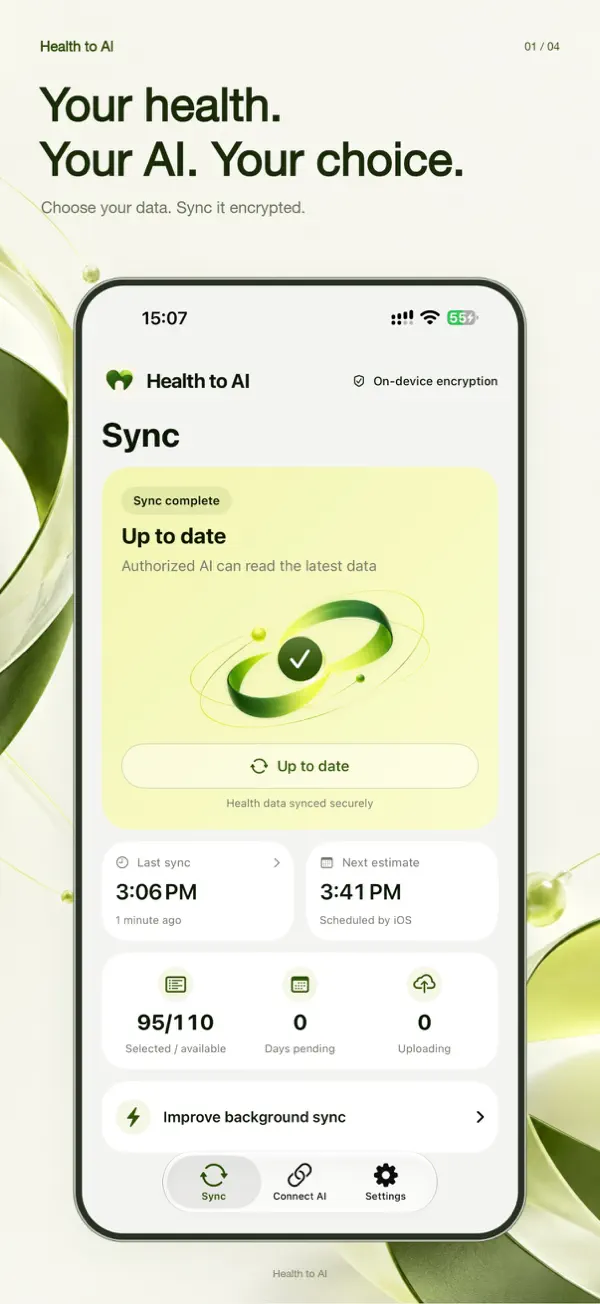
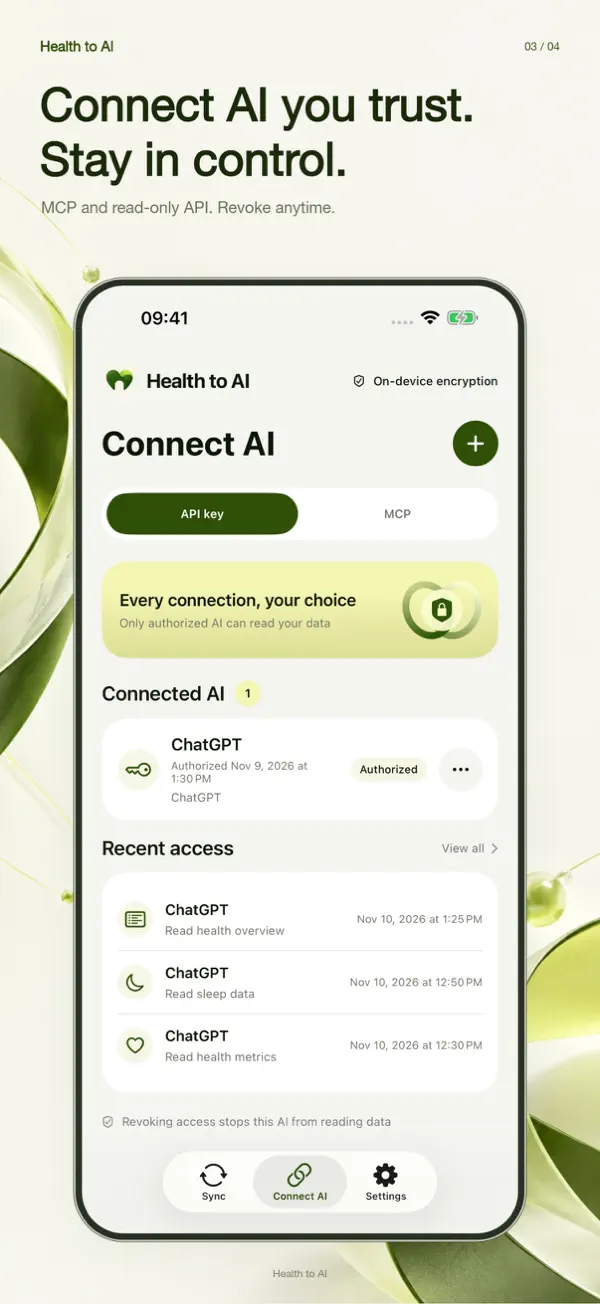
- AES-256-GCMencrypted on your iPhone before upload
- 100+ data typesactivity, sleep, heart, body & more
- MCP + OAuthor a read-only API key
- Revoke anytimeper connection, with access log
Your Apple Watch knows a lot about you. Now your AI can too.
Every heartbeat, workout and night of sleep your Apple Watch records lands in the Health app on your iPhone. Health to AI turns that into context your AI can understand — no exporting, no spreadsheets.
- Apple WatchRecords heart rate, HRV, sleep stages, workouts and activity
- Health appSyncs to your iPhone automatically
- Health to AIYou pick the data; encrypted on device
- Your AIChatGPT, Claude, Gemini… answers with your real data
How Health to AI works
Three steps from the Health app on your iPhone to a smarter conversation with your AI.
Choose what to share
Sign in with Apple (anonymously) and pick exactly which Apple Health data types to sync. Anything you don’t allow is never read.
Encrypt, then sync
Your records are summarized and encrypted on device with AES-256-GCM. The cloud only ever stores ciphertext.
Connect the AI you trust
Authorize ChatGPT, Claude, Gemini, Cursor or another compatible tool via MCP with OAuth or a read-only API key — then just ask.
Built for people who want AI to understand their health — privately
Apple Health already knows a lot about you. Health to AI is the secure bridge that lets your AI assistant use that context, on your terms.
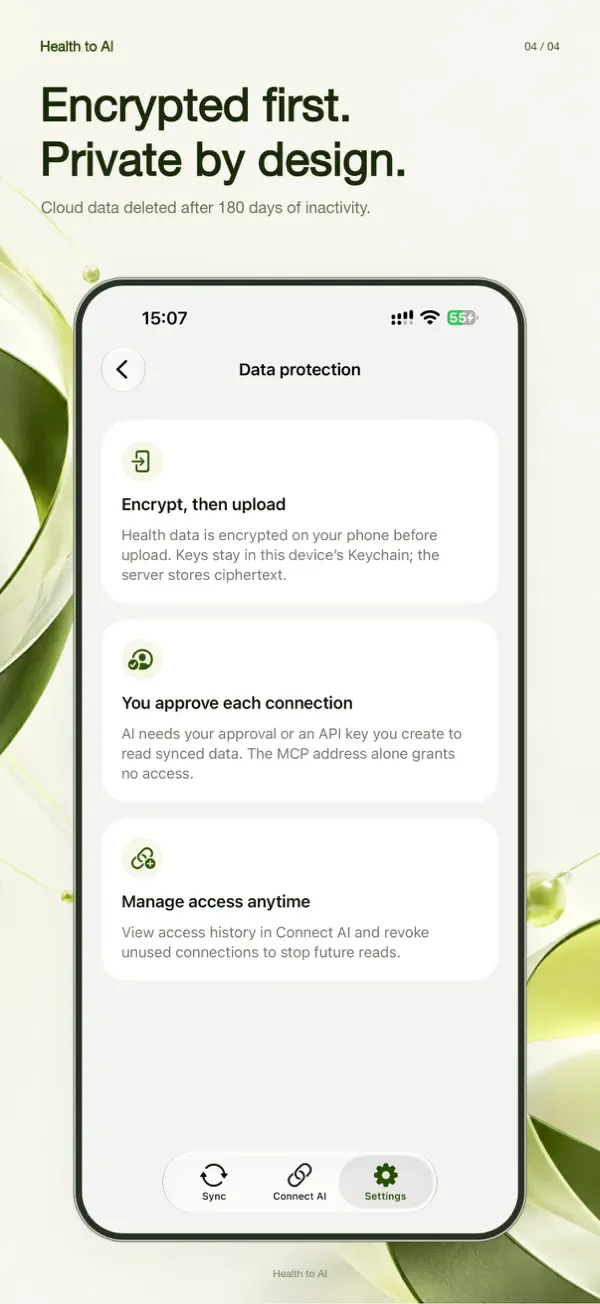
Encrypt first, then sync
Health records are encrypted on your device before upload, and the data key stays in your iPhone’s Keychain.
- Check sync status and recent sync history at a glance
- Sync manually any time; background timing is managed by iOS
- No plaintext health data stored in the cloud
Choose exactly what you share
Explore 100+ supported health and fitness data types and switch each one on or off.
- Activity, sleep, heart, body measurements, nutrition, workouts, mindfulness
- Daily or hourly summaries, prepared on your device
- Availability depends on your device, iOS version and permissions
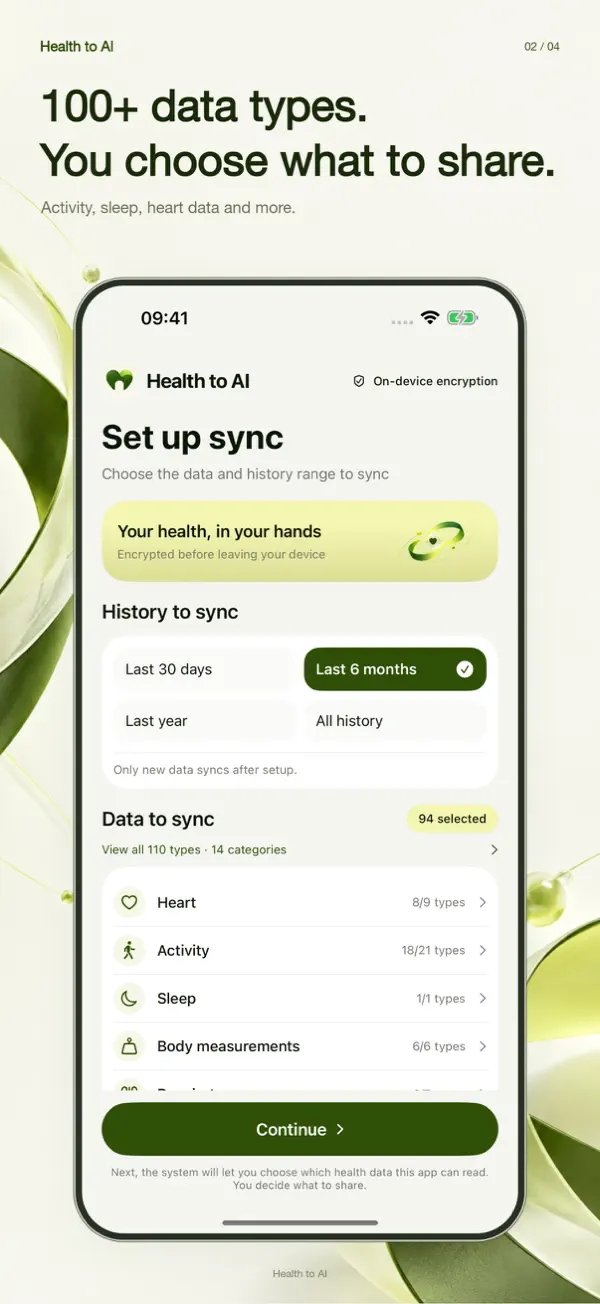
Connect AI you trust
Use MCP with OAuth, or create a read-only API key, for AI clients that support it.
- Works with ChatGPT, Claude, Gemini, Cursor and other MCP-capable tools
- See which AI read what, and when
- Revoke any single connection instantly
Stay in control
No advertising tracking. Your data is never sold or used for ads, profiling or model training by us.
- Delete your account and cloud data in the app
- Cloud data auto-deletes after 180 days without an authorized AI query
- Health to AI never writes to Apple Health
Works with the AI you already use
Connect through the open Model Context Protocol (MCP) with OAuth, or a read-only API key. Step-by-step guides:
Connection options depend on each AI service, your account and plan. Health to AI has no built-in chatbot — it brings your data to the AI you choose.
What you can ask once your AI has context
Real questions people ask after connecting Apple Health to their AI assistant.
100+ Apple Health data types, your choice
Share only what helps your AI help you. Examples of supported categories:
Activity
Steps, distance, flights climbed, active energy, exercise minutes
Sleep
Sleep duration, stages (core, deep, REM), time in bed
Heart
Heart rate, resting heart rate, HRV, walking heart rate
Workouts
Workout type, duration, distance, energy burned
Body
Weight, BMI, body-fat percentage, height
Nutrition
Calories, protein, carbs, fat, water, caffeine
Vitals & respiratory
Blood oxygen, respiratory rate, blood pressure
Mindfulness & more
Mindful minutes, state of mind, cycle tracking, symptoms
Privacy is the product, not a feature
Health data is sensitive. Health to AI was designed so that you decide what is shared, with whom, and for how long.
On-device encryption
AES-256-GCM before upload. The cloud stores ciphertext; plaintext API keys and data keys are never stored on the server.
Anonymous sign-in
Sign in with Apple provides an anonymous identifier. We don’t collect your name or email.
Explicit consent per AI
Access is granted only when you confirm a specific, named AI recipient. Syncing alone is never consent.
Read-only access
Connected AI tools can read the data you synced — they can’t change it, and nothing is written to Apple Health.
Access log & revoke
See recent reads by each AI (kept 90 days) and revoke any connection with one tap.
Automatic expiry
Cloud health data is deleted after 180 days without a successful authorized AI query. Delete everything instantly in Settings.
Guides: connect Apple Health to AI
Apple Health MCP server: give AI secure access to your HealthKit data
What an Apple Health MCP server is, why AI can’t read HealthKit directly, and how Health to AI provides a secure remote MCP server with OAuth.
Read guide →How to connect Apple Health to ChatGPT
Step-by-step: let ChatGPT read your Apple Health sleep, heart rate, workouts and more — securely, read-only, and revocable — with Health to AI.
Read guide →How to connect Apple Health to Claude
Give Claude secure, read-only access to your Apple Health data with a custom MCP connector and OAuth. Step-by-step guide with example prompts.
Read guide →How to connect Apple Health to Gemini
How to let Gemini and Gemini-based tools read your Apple Health data securely with Health to AI, using MCP or a read-only API key.
Read guide →How to connect Apple Health to Cursor (MCP)
Add an Apple Health MCP server to Cursor with Health to AI. Build health dashboards, analyze trends and prototype apps with your real data.
Read guide →How to export Apple Health data to AI — the easy, private way
The Apple Health “Export All Health Data” XML is huge and hard for AI to read. Here’s a faster, private way to share Apple Health data with ChatGPT or Claude.
Read guide →Frequently asked questions
What does Health to AI do?
Can ChatGPT read my Apple Health data directly?
Can AI read my Apple Watch data?
Is Health to AI free?
Is my health data safe?
Does Health to AI include an AI chatbot?
Is this medical advice?

Give your AI the health context you choose
Install Health to AI, pick the Apple Health data you want to share, and connect ChatGPT, Claude or another AI tool in a few minutes. You stay in control of every connection.

Free on the App Store · iPhone & iPad · iOS 17+